Desktop-native delivery with a fast Rust core and a polished shell.
Rust-poweredLatest release
 Rustatio
Rustatio emulates popular torrent clients, shapes realistic transfer behavior, and keeps live session telemetry in one deliberate interface across desktop, Docker, and the web.
WindowsmacOSLinuxDockerWeb UI
For educational use. Tracker rules and account risk still apply.
Ready-to-use presets for the most common tracker-facing clients.
Choose the setup that fits your local machine, server, or browser flow.
Capability signals
Purpose-built for session control and visibility.
Rustatio stays direct: shape the session, run it, and see what is happening without digging through tabs.
Client emulation
Switch between popular client fingerprints with tracker-aware peer IDs, headers, and announce behavior.
Session control
Tune rates, variance, stop conditions, and progressive behavior so sessions look intentional instead of mechanical.
Live analytics
Watch upload, download, ratio, peer activity, and logs in a single interface while a session is running.
Screenshots
The product, shown as it actually runs.
Every view shown here comes straight from the product: the main workspace, live metrics, grid workflows, watch folders, remote auth, and the light theme.
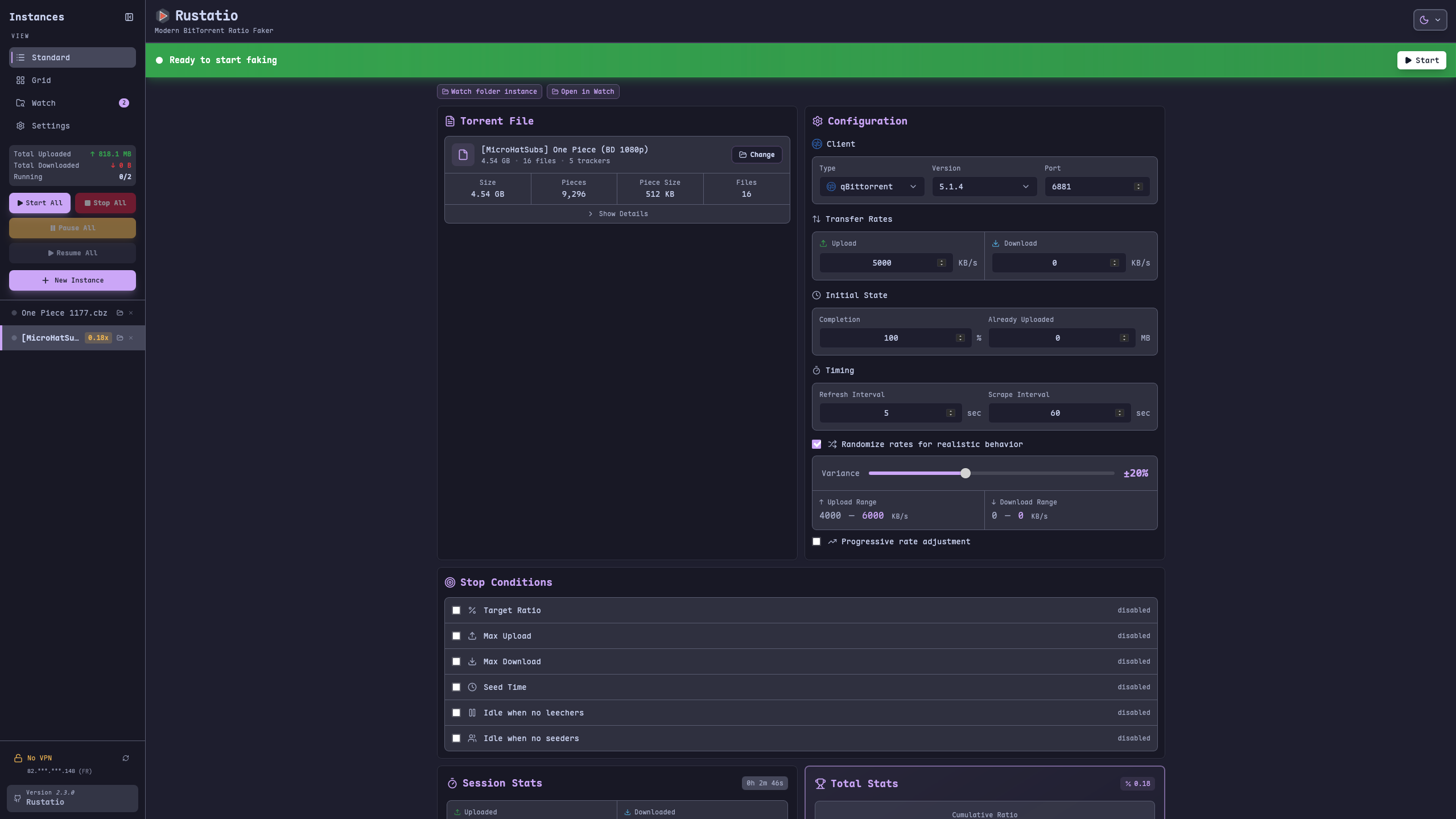
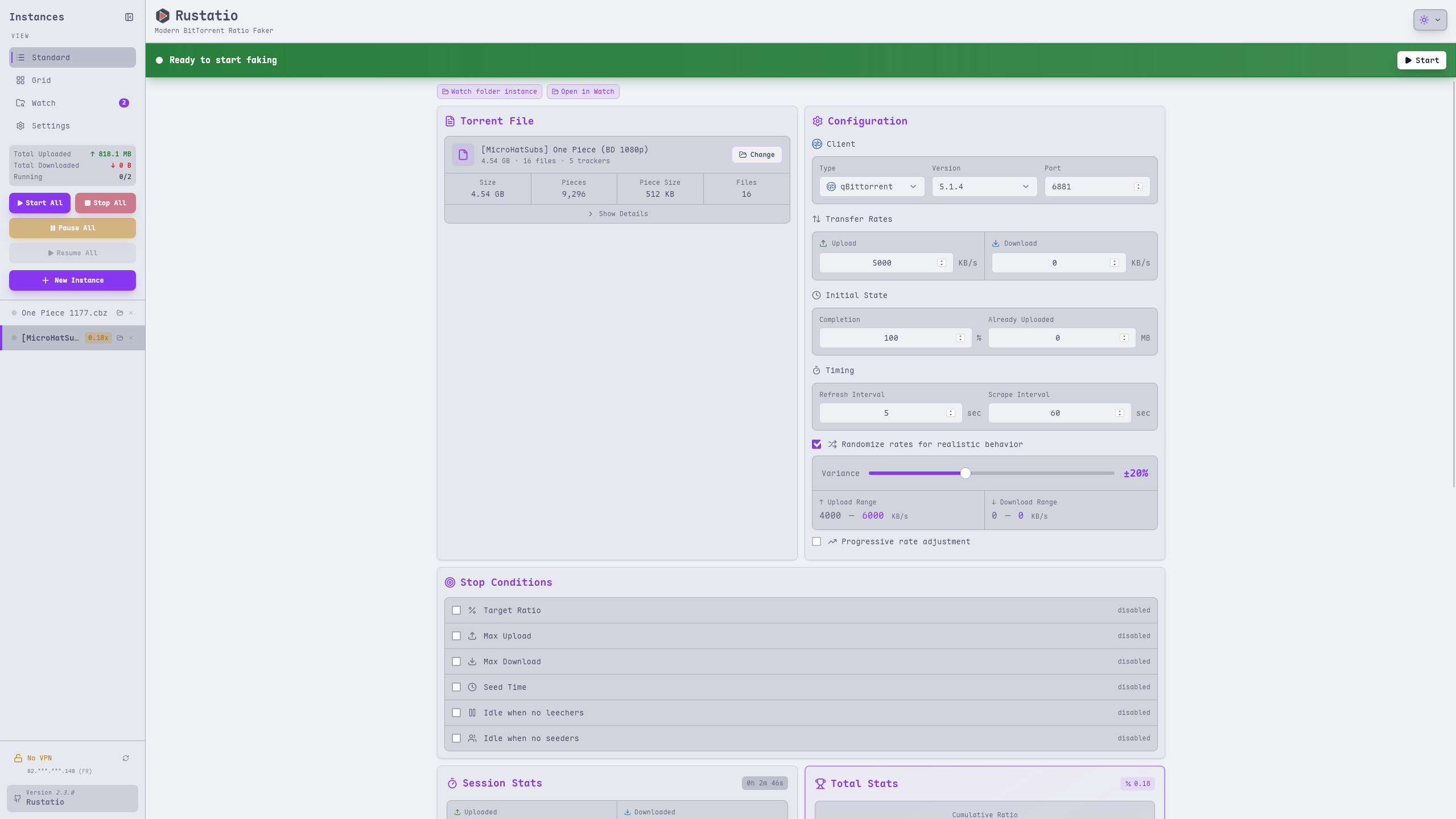
Configuration cockpit
Start with the main workspace: load a torrent, pick a client profile, and shape the session from one dense control panel.
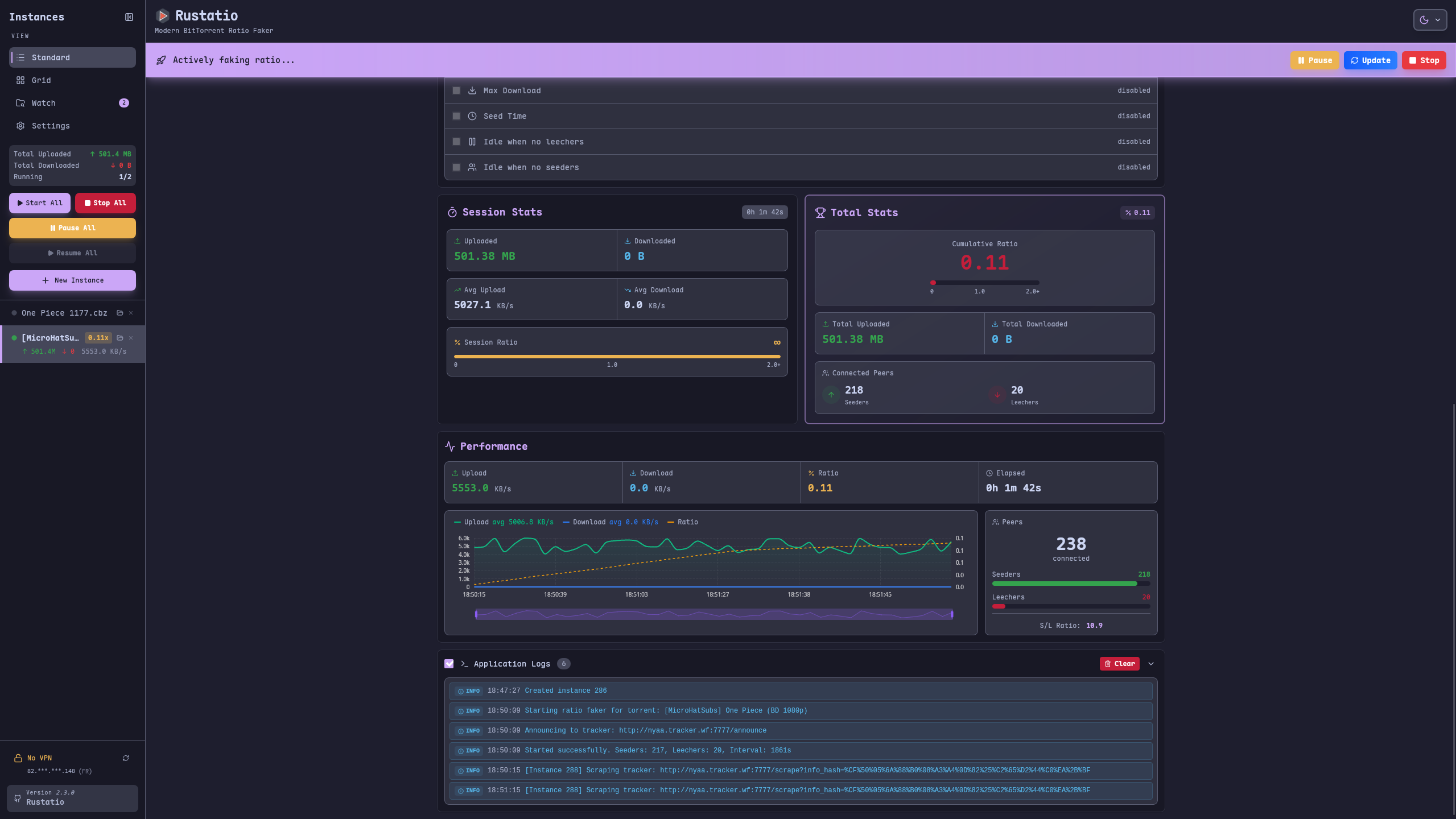
Real-time metrics
Watch ratio movement, transfer history, and peer distribution while the session evolves.
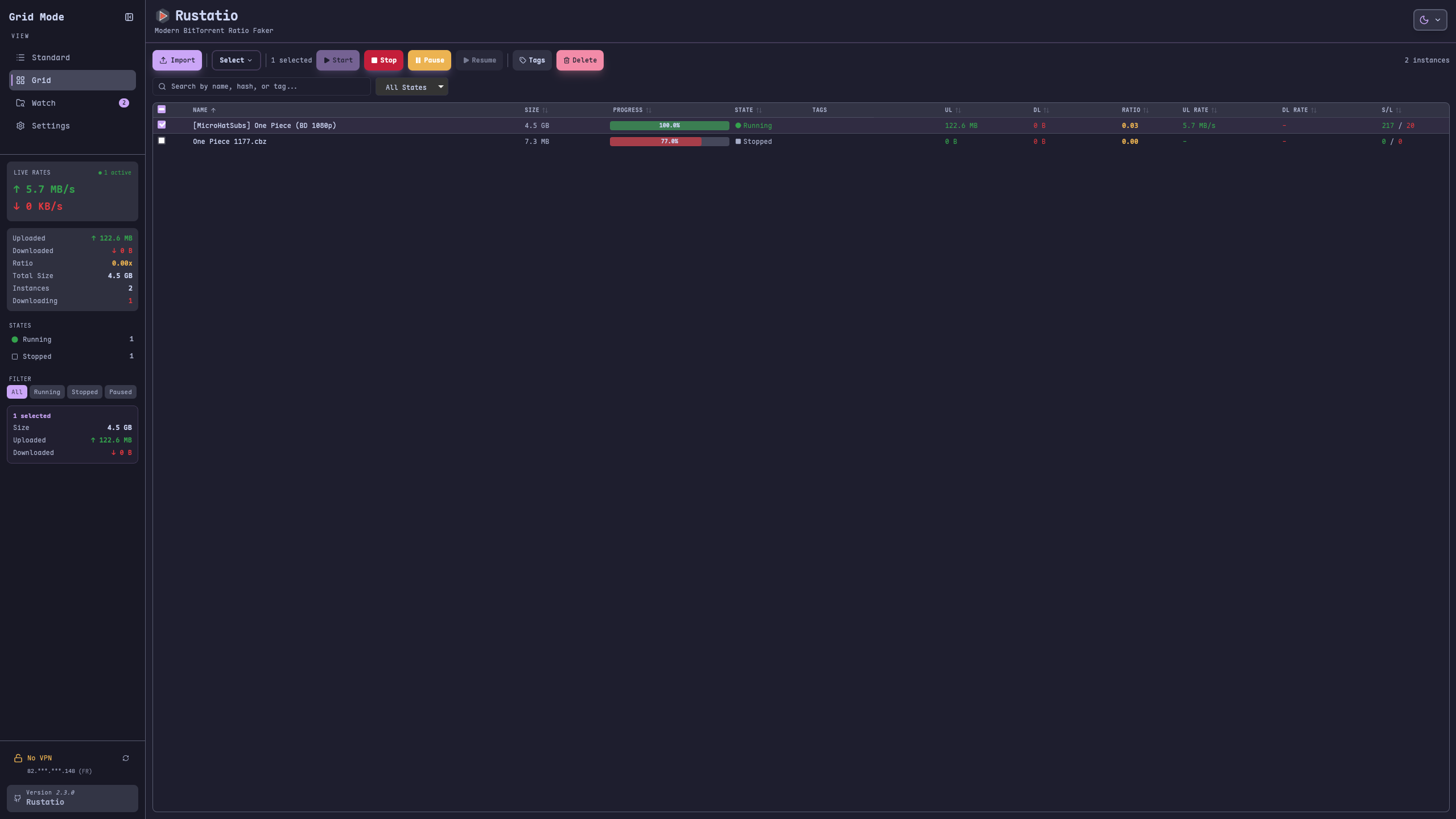
Grid workflows
Scan several active sessions at once with a denser grid layout when you need to compare state quickly.
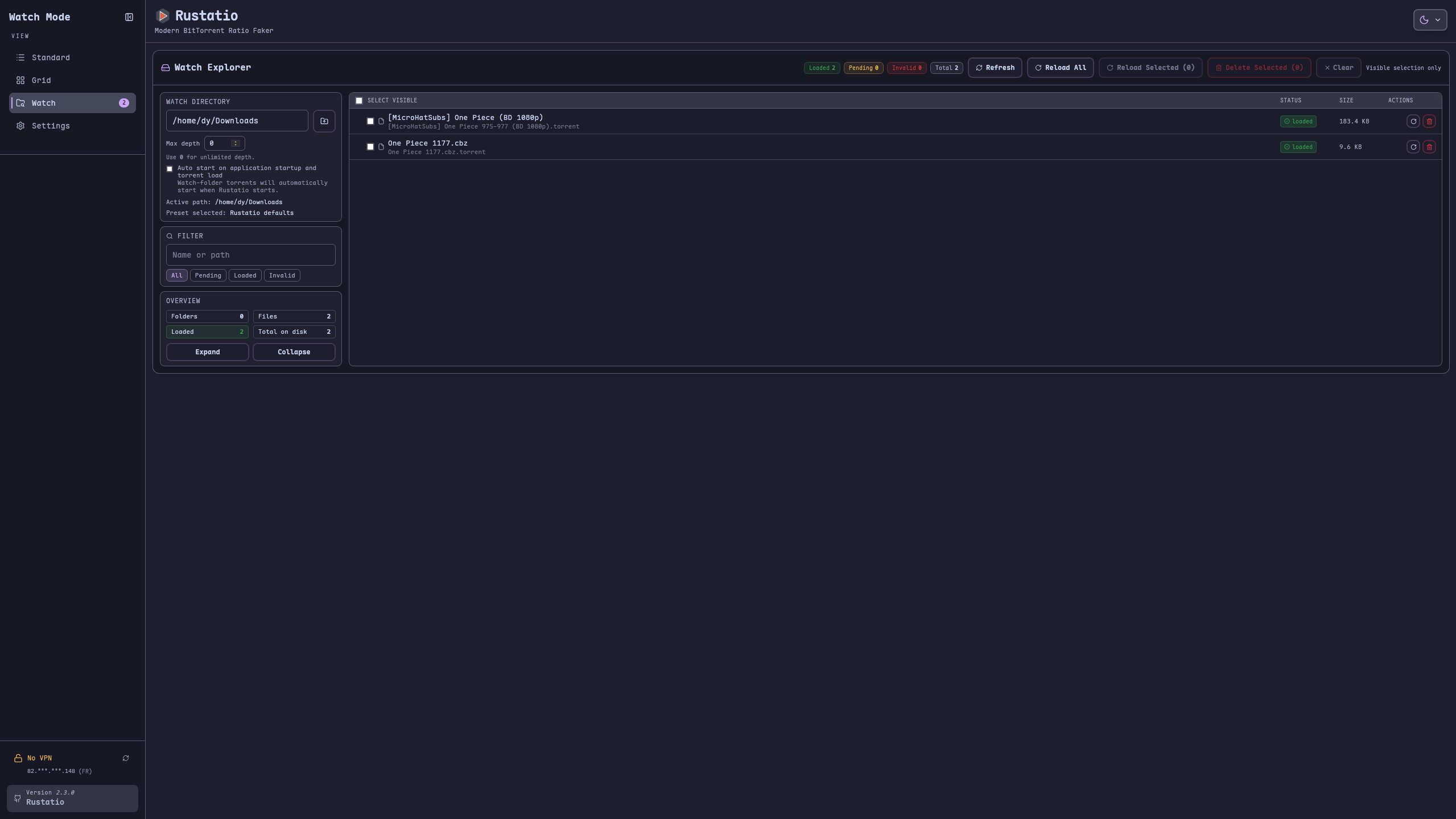
Watch folder intake
Point Rustatio at a directory and let incoming torrents appear automatically for faster recurring workflows.
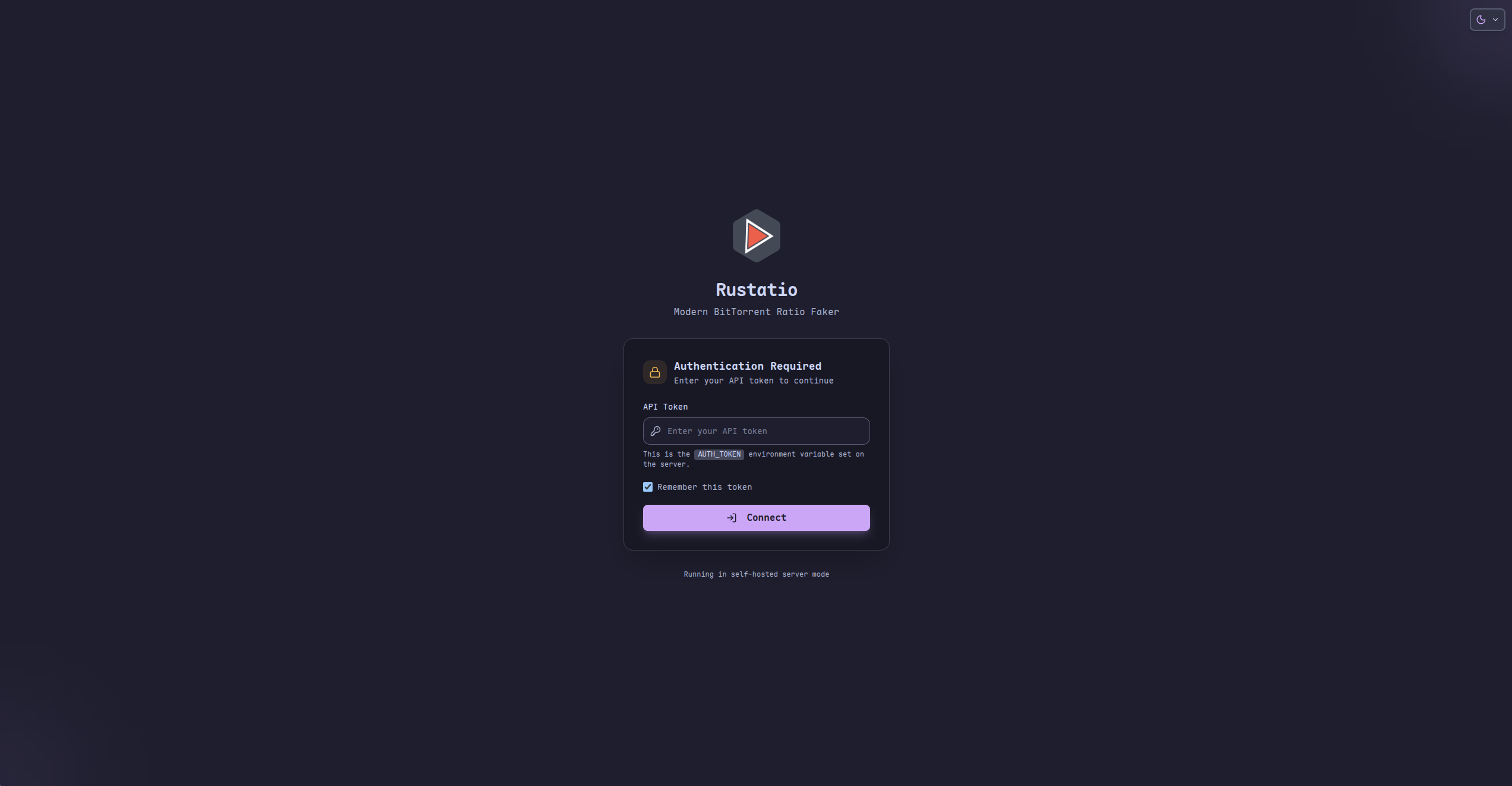
Self-hosted access
Protect remote deployments with token-based authentication when your server is exposed beyond localhost.
Light theme clarity
Switch to a bright theme without losing the same dense layout, controls, and visual hierarchy.
How it flows
From import to live session.
Load a torrent
Import a file, let Rustatio read the tracker metadata, and start from a real session baseline.
Choose a profile
Select the client identity and version that matches the behavior you want to emulate.
Shape the session
Set upload and download targets, randomness, stop conditions, and any networking constraints.
Run and monitor
Start the session and watch ratio, charts, logs, and peer flow update in real time.
Live demo
Open the browser build that is already running.
Try the public WebAssembly version on GitHub Pages, see the UI in action, and decide whether you want the desktop app, Docker deployment, or the hosted demo.
Download
Pick the build that matches your setup.
Latest release
Windows
Install the desktop app with a native setup executable and keep the full feature set outside the browser.
macOS
Grab the desktop DMG and run Rustatio with a native interface built for repeatable workflows.
Linux
Choose the package that fits your distribution or go with AppImage for a portable desktop install.
Docker
Run Rustatio on a server, NAS, or homelab machine and access the shared web UI from anywhere on your network.
Web app
Launch the browser build when you need a quick session from any device and can provide a CORS proxy.
Where it fits
Choose the delivery mode that matches the way you work.
Desktop sessions
Stay local, avoid browser restrictions, and work with the most direct install path on Windows, macOS, or Linux.
Home server or NAS
Use Docker to keep Rustatio online in a persistent environment with optional authentication and watch folders.
Remote web access
Expose the shared UI to another device, secure it with a token, and keep operational visibility from anywhere.
Guardrails
Built for power users, with the warnings still visible.
Operational controls
Use AUTH_TOKEN for gated access, run behind a VPN, and follow forwarded port changes when your environment needs it.
Educational-use notice
Tracker rules still apply. Rustatio is provided for educational use, and users remain responsible for how they deploy it.
FAQ
Short answers before you jump in.
What versions are available?
Rustatio ships as a desktop app, a Docker-hosted server, and a browser-based web build.
Which torrent clients can Rustatio emulate?
The current presets include uTorrent, BitTorrent, qBittorrent, Transmission, and Deluge.
Can I run it on a server or NAS?
Yes. The Docker image is designed for self-hosted deployments and works well on servers, homelabs, and NAS devices.
Does the web UI support authentication?
Yes. Self-hosted deployments can require an AUTH_TOKEN for UI and API access.
Is the browser build enough on its own?
It works, but most trackers block browser requests, so a CORS proxy is usually required for the web build.
Where should I start?
Use the desktop app if you want the quickest path, or Docker if you want a persistent instance with remote access.
Ready to start
Download or try the demo.
Cross-platform delivery, self-hosted options, and live session visibility from the same Rust-powered core.